Theming
HolySheet ships with three carefully designed themes that give your dashboards a polished, professional appearance out of the box.
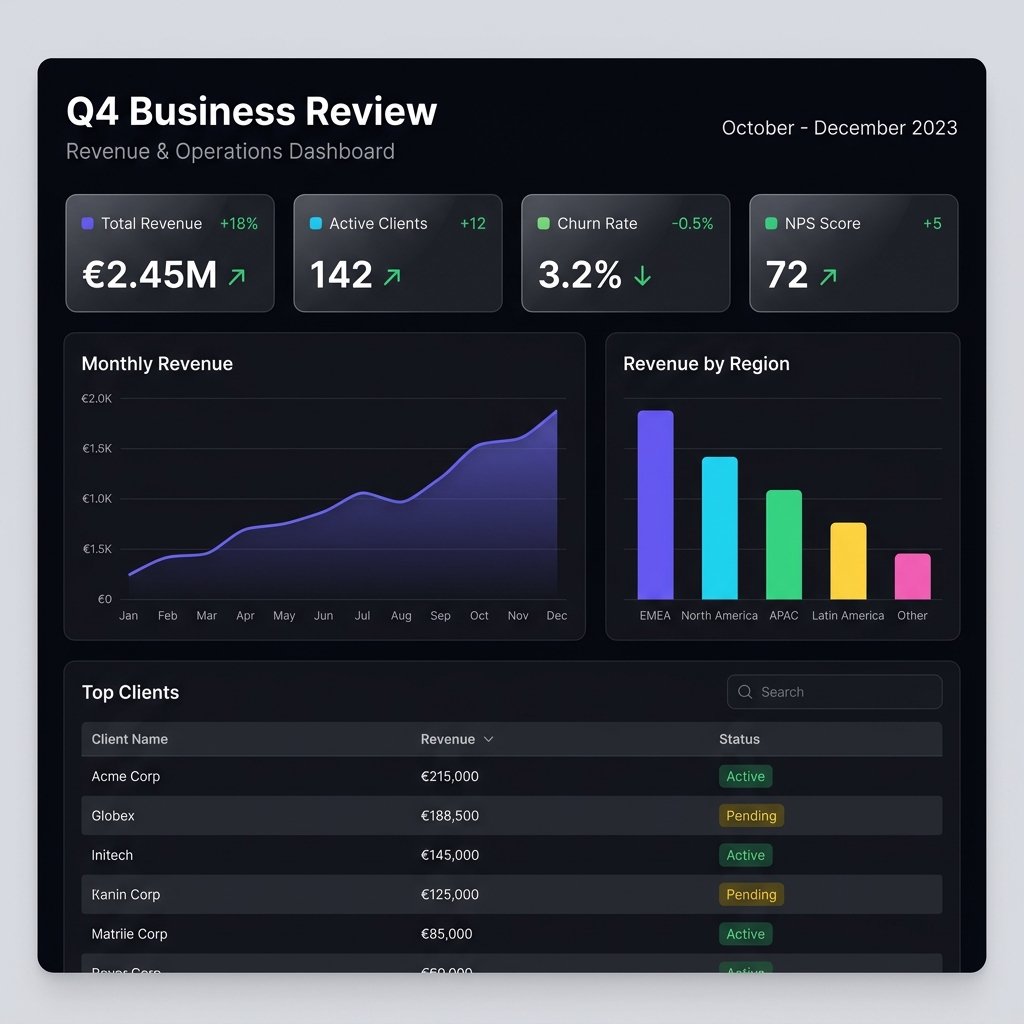
🌙 Dark Theme
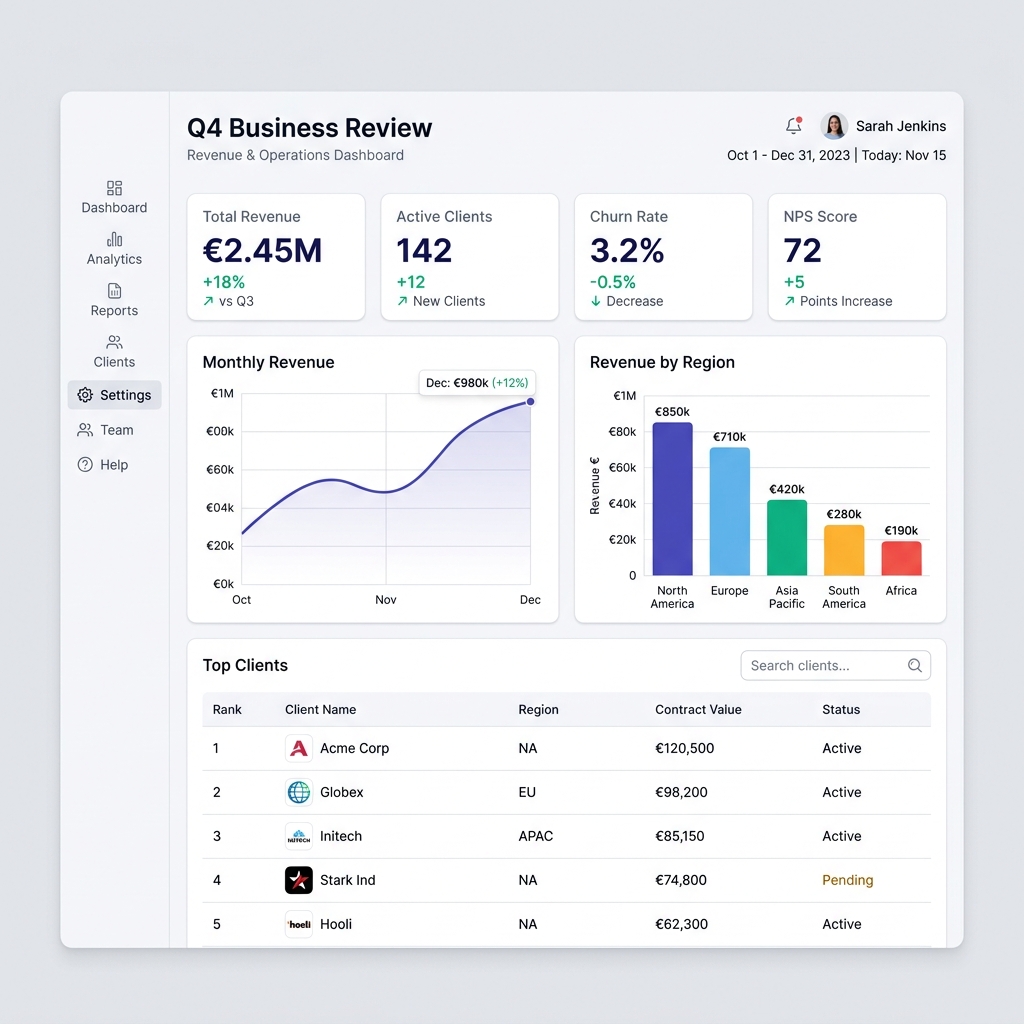
☀️ Light Theme
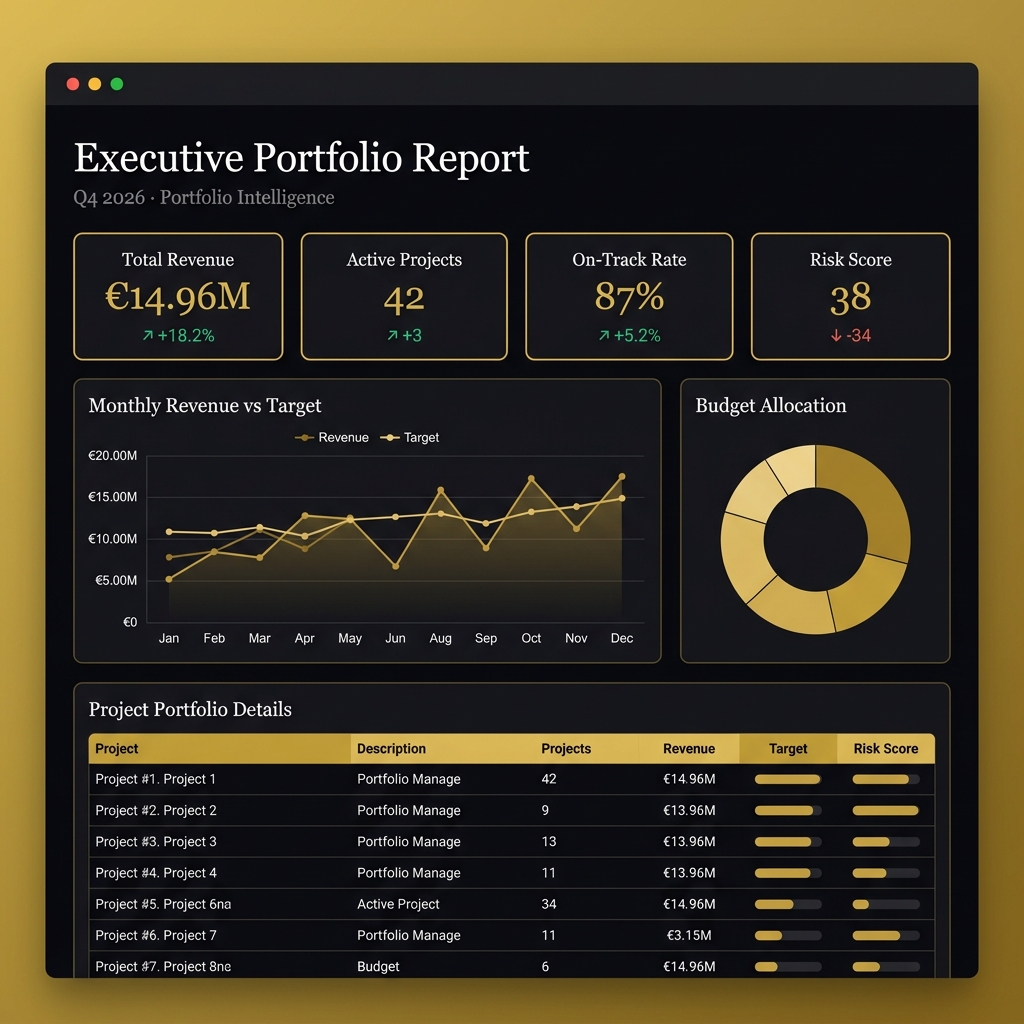
👔 Executive Theme
KPI Cards Across All Themes
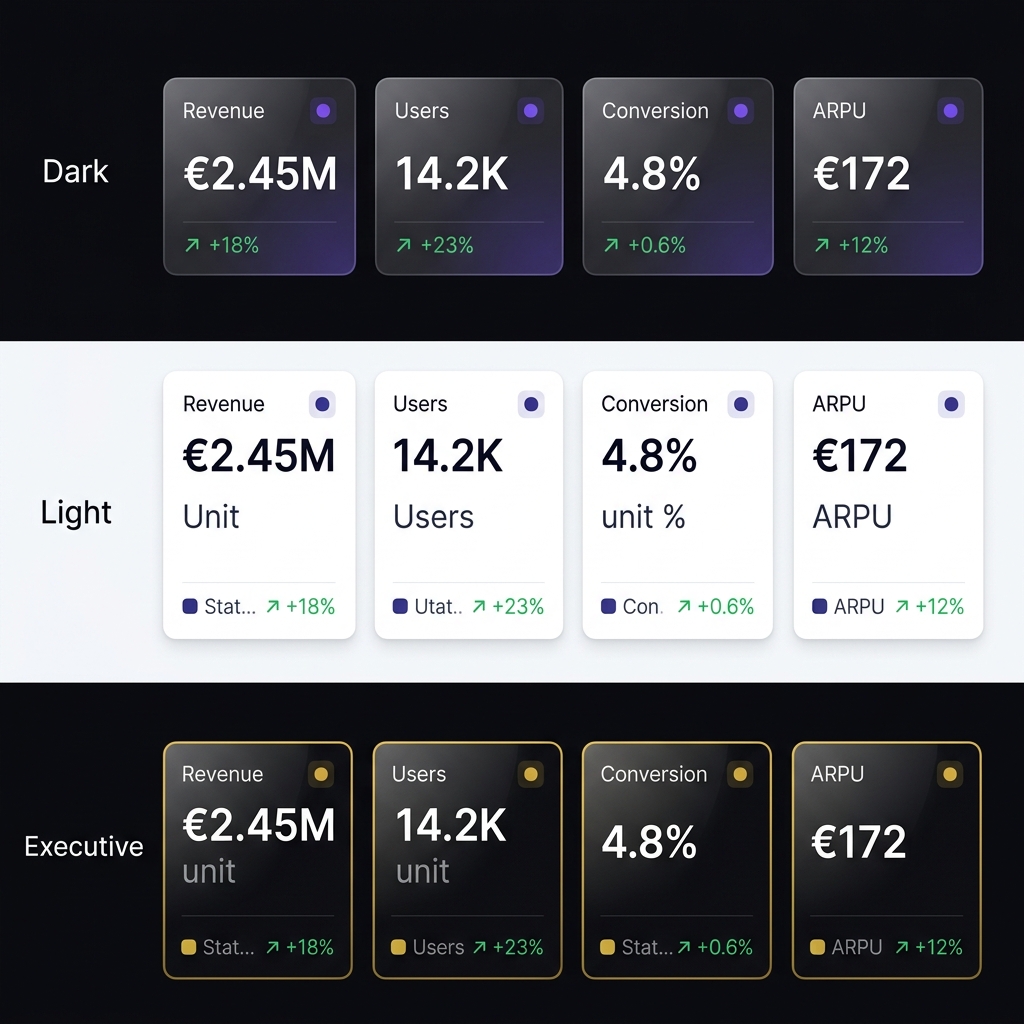
The same KPI cards automatically adapt to your chosen theme's design system.
Available Themes
The default theme — a sleek dark interface with vibrant accent colors, perfect for data-heavy dashboards viewed on screens.
| Property | Value |
|---|---|
| Background | #0a0a0f |
| Cards | Frosted glass (rgba(20, 20, 35, 0.85)) |
| Primary | #6C63FF (Indigo) |
| Secondary | #00D9FF (Cyan) |
| Positive | #34D399 (Emerald) |
| Negative | #F87171 (Rose) |
A clean, bright theme ideal for printing or embedding in professional reports.
| Property | Value |
|---|---|
| Background | #F5F7FA |
| Cards | #FFFFFF |
| Primary | #4F46E5 (Indigo) |
| Secondary | #0EA5E9 (Sky) |
| Positive | #10B981 (Emerald) |
| Negative | #EF4444 (Red) |
A premium gold-accented dark theme designed for C-suite presentations and board reports.
| Property | Value |
|---|---|
| Background | #09090C |
| Cards | rgba(18, 18, 24, 0.9) with gold borders |
| Primary | #D4AF37 (Gold) |
| Secondary | #C0A062 (Antique Gold) |
| Positive | #34D399 (Emerald) |
| Negative | #F87171 (Rose) |
Design Features
All themes share these premium design qualities:
Glassmorphism
Cards use frosted glass effects with backdrop-filter: blur() for depth and elegance.
Hover Effects
Every card lifts on hover with smooth shadow transitions, making the dashboard feel alive.
Inter Typography
Modern Inter font with optimized sizing, weight hierarchy, and letter spacing.
Responsive
Layouts auto-adapt from desktop to tablet to mobile with fluid grid breakpoints.
Chart Colors
Each theme includes a curated 8-color palette for charts:
# Dark theme chart colors
['#6C63FF', '#00D9FF', '#34D399', '#FBBF24',
 '#F87171', '#A78BFA', '#FB923C', '#38BDF8']

# Light theme chart colors
['#4F46E5', '#0EA5E9', '#10B981', '#F59E0B',
 '#EF4444', '#8B5CF6', '#F97316', '#06B6D4']

# Executive theme chart colors
['#D4AF37', '#C0A062', '#34D399', '#F5F0E8',
 '#F87171', '#A78BFA', '#E8C547', '#8B7536']
Multi-series charts automatically cycle through these colors.
Choosing the Right Theme
| Use Case | Recommended Theme |
|---|---|
| Internal dashboards | dark |
| Client-facing reports | light |
| Board presentations | executive |
| Printed reports | light |
| Data exploration | dark |
| Financial reports | executive |
Theme Consistency
Choose one theme per report. All blocks within a report automatically inherit the theme's colors, fonts, and styling — no per-block configuration needed.