✨ Features
FlowyML Notebook is a complete ML development environment. Here's everything it offers — with real screenshots from the application.
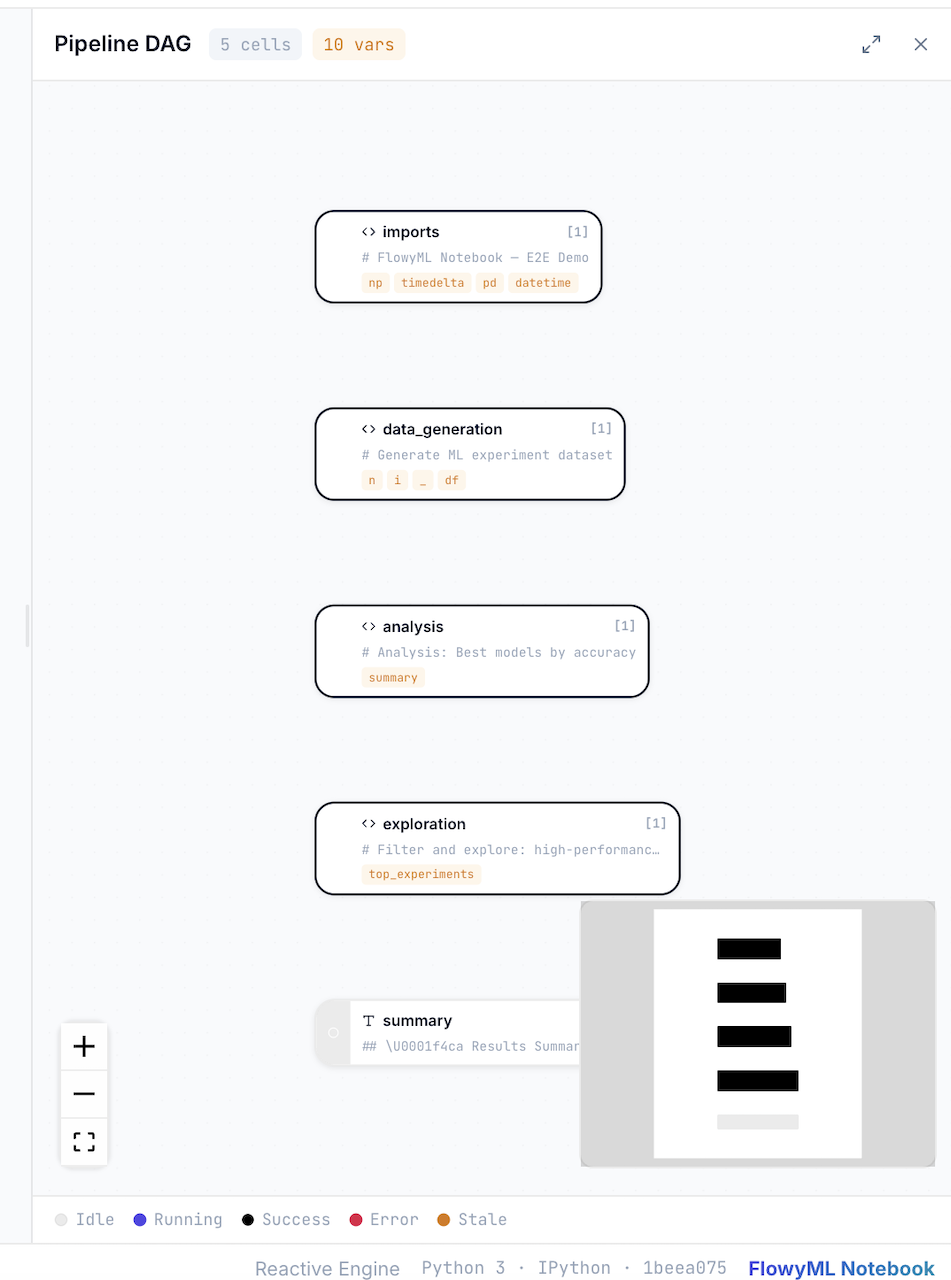
 Reactive DAG Engine
Every cell is a node in a dependency graph. When a variable changes, only dependent cells re-execute — no more stale state, no more "restart kernel and run all."
- Automatic dependency detection via AST analysis
- Visual DAG representation with cell status indicators
- Topological execution order for consistent results
- Parallel execution of independent branches
 Pure Python Storage
Notebooks are saved as standard .py files. No JSON, no merge conflicts, no diffs you can't read.
- Git Friendly — Clean
git diff, meaningfulgit blame - Importable —
from my_notebook import df_clean - Lintable — Works with
ruff,flake8,mypy
 Rich Data Exploration
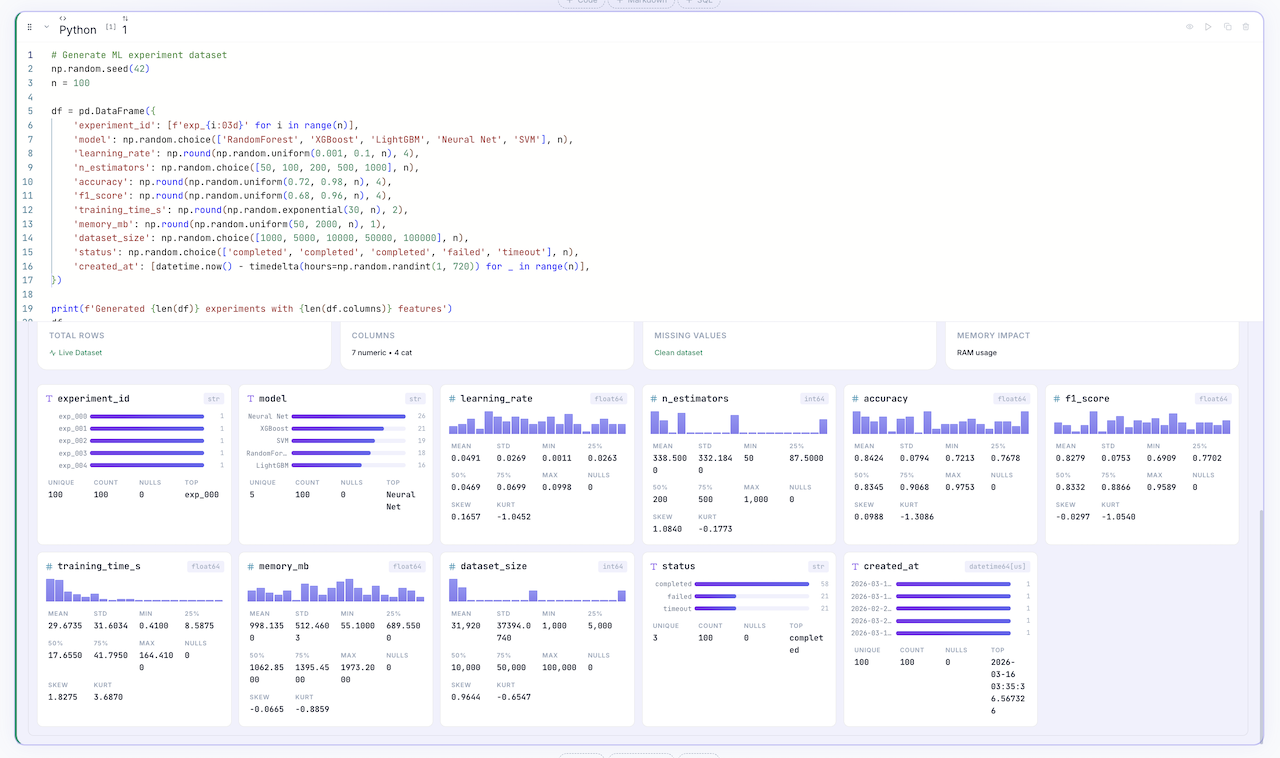
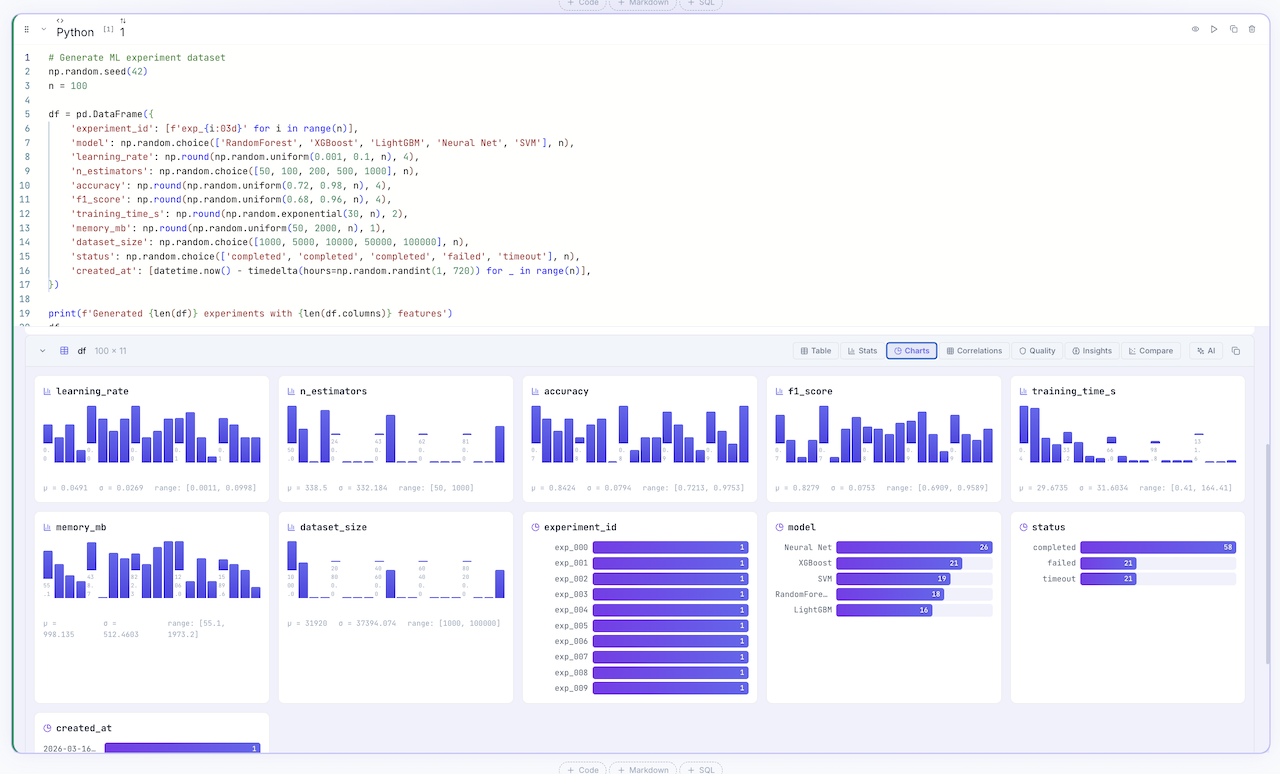
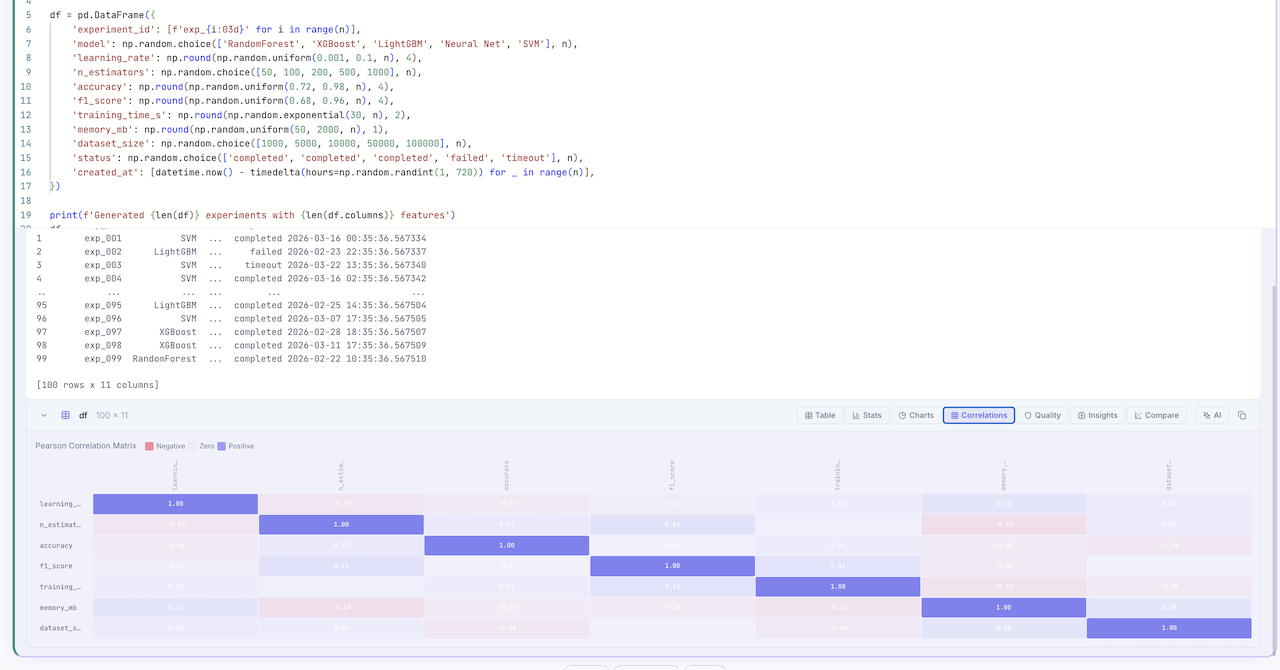
Every DataFrame gets automatic profiling — zero extra code. Toggle between Table, Stats, Charts, Correlations, Quality, Insights, Compare, and AI views.
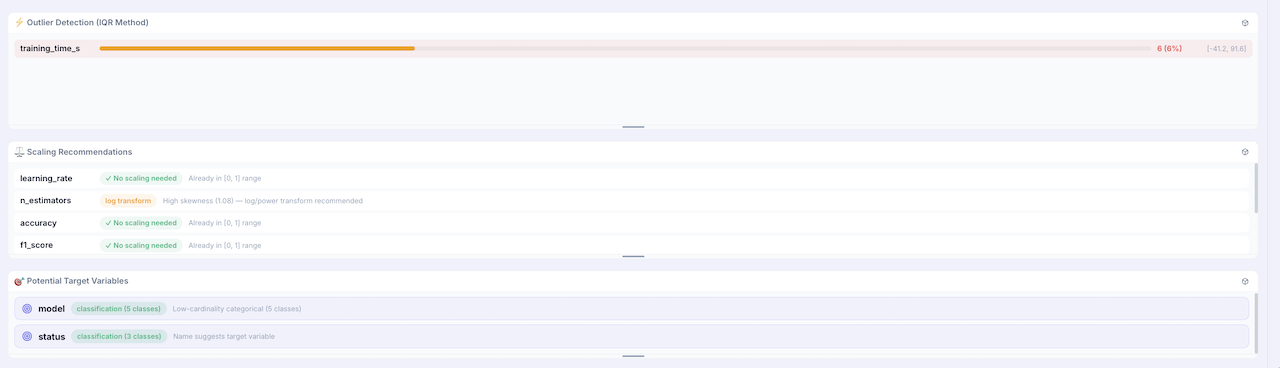
See Data Exploration for the full breakdown.
 SmartPrep Advisor
Stop guessing what preprocessing to apply. The SmartPrep Advisor analyzes your DataFrame and generates actionable, ready-to-run suggestions — automatically.
What It Detects
| Issue | Detection | Fix |
|---|---|---|
| Missing Values | Per-column null counts and percentages | Drop column (>60% missing) or impute (median/mode) |
| Skewed Distributions | Skewness > 1.5 with positive/negative handling | np.log1p() or PowerTransformer(yeo-johnson) |
| Outliers | IQR method with percentage thresholds | df.clip(lower, upper) |
| High Cardinality | >50 unique categorical values | Frequency encoding |
| Class Imbalance | Majority/minority ratio > 3:1 | class_weight='balanced' or SMOTE |
| Feature Scaling | >100x range difference across features | StandardScaler |
Each suggestion includes a severity badge (high/medium/low), a clear explanation, and a "Generate Cell" button that inserts ready-to-run code directly into your notebook.
Usage
Access the SmartPrep tab in the DataFrameExplorer — no code needed. Just click on a DataFrame output and switch to the SmartPrep tab.
 Algorithm Matchmaker
Don't know which ML algorithm to use? The Algorithm Matchmaker analyzes your data characteristics, detects the task type, and ranks the best algorithms — with full pipeline code.
How It Works
- Detects task type — Classification (≤20 unique target values), Regression (>20), or Clustering (no target)
- Analyzes data — Sample size, feature types, dimensionality, nulls, class balance
- Ranks algorithms — Score (0-100), speed, interpretability, with reasoning and caveats
- Generates code — Complete
sklearnpipeline: train/test split, fit, evaluate
Supported Algorithms
| Task | Algorithms |
|---|---|
| Classification | Random Forest, XGBoost, Logistic Regression, SVM, LightGBM, KNN |
| Regression | Random Forest, XGBoost, Linear Regression, SVR, LightGBM, ElasticNet |
| Clustering | KMeans, DBSCAN, Hierarchical |
Usage
Access the Algorithms tab in the DataFrameExplorer. Select a target column and get instant recommendations:
 UnicoLab Keras Ecosystem
Native integration with the UnicoLab ML ecosystem — KDP, KerasFactory, and MLPotion. Install the full stack with:
Ecosystem Integration Points
| Package | Integration | What It Adds |
|---|---|---|
| KDP | SmartPrep Advisor | Auto-configured Keras preprocessing with distribution-aware encoding and tabular attention |
| KerasFactory | Algorithm Matchmaker | BaseFeedForwardModel + advanced GatedResidualNetwork / TabularAttention model recommendations |
| MLPotion | Algorithm Matchmaker | Managed ModelTrainer + ModelTrainingConfig training pipelines |
| All 3 | Algorithm Matchmaker | Flagship end-to-end pipeline: KDP → KerasFactory → MLPotion |
Ecosystem Status API
Check installed ecosystem packages and versions:
Builtin Ecosystem Recipes
4 new multi-cell recipes available in the recipe library — KDP Smart Preprocessing, KerasFactory Quick Model, MLPotion Training Pipeline, and the UnicoLab End-to-End Pipeline.
See Ecosystem for the full guide with code examples.
 Live Interactive Dashboards
Transform any notebook into a stakeholder-ready interactive dashboard — with auto-detected widgets, auto-refresh, shareable URLs, and email snapshots.
Dashboard Features
| Feature | Description |
|---|---|
| Interactive Widgets | Auto-detects DataFrame columns and creates filters, sliders, and dropdowns |
| Auto-Refresh | Configurable interval (30s, 1min, 5min, 15min) for live data |
| Shareable URLs | Generate links with embedded dashboard state (filters, selections) |
| Email Snapshots | Send a screenshot of the current dashboard state via email |
Widget Types
 Date Range — For datetime columns
 Category Dropdown — For categorical columns
 Numeric Slider — For numeric columns
 Text Search — For text/string columns
Access via the App Publisher panel → enable "Interactive Widgets" toggle.
 Collaborative Analysis Patterns
Bookmark reusable cell sequences as Analysis Patterns — share them across notebooks, search by tags, and apply with one click.
Pattern Features
- Create — Select cells from your notebook, add tags and metadata, save as a pattern
- Search — Filter by name, tags, problem type (classification, regression, clustering, EDA), or data type
- Apply — One-click inserts all pattern cells into your notebook
- Usage tracking — See how many times each pattern has been applied
Creating a Pattern
- Open the Analysis Patterns panel (right panel)
- Click New Pattern
- Select which cells to include
- Add name, description, tags, problem type, and data type
- Click Save Pattern
Example Patterns
| Pattern | Tags | Problem Type |
|---|---|---|
| EDA Starter | eda, pandas, visualization |
EDA |
| Feature Engineering Pipeline | features, sklearn, preprocessing |
Any |
| Binary Classification Baseline | classification, xgboost, metrics |
Classification |
| Time Series Analysis | time_series, decomposition, stationarity |
Regression |
API
 AI Assistant
Integrated AI assistant (⌘J) with deep FlowyML ecosystem knowledge. The assistant is context-aware — it sees your notebook state, cell outputs, variable values, and error tracebacks.
- Generate — Create pipeline segments, data transformations, or visualizations from natural language
- Explain — Understand complex data patterns from outputs and profiling results
- Debug — Context-aware error resolution with stack trace analysis
- Optimize — Performance tuning, scaling recommendations, and ML hyperparameter suggestions
Supported Providers
| Provider | Models | Setup |
|---|---|---|
| OpenAI | GPT-4o, GPT-4o-mini | OPENAI_API_KEY env variable |
| Google AI | Gemini Pro, Gemini Ultra | GOOGLE_API_KEY env variable |
| Ollama | Llama 3.1, Mistral, CodeLlama, Phi-3 | Local — ollama serve (no API key needed) |
| Anthropic | Claude 3.5 Sonnet, Claude 3 Opus | ANTHROPIC_API_KEY env variable |
| Custom | Any OpenAI-compatible API | Set base_url to your endpoint |
100% Private with Ollama
Run AI entirely on your machine — no data ever leaves your laptop:
Usage Examples
The AI assistant generates code that respects the reactive DAG — it understands which variables are available from upstream cells and avoids creating stale dependencies.
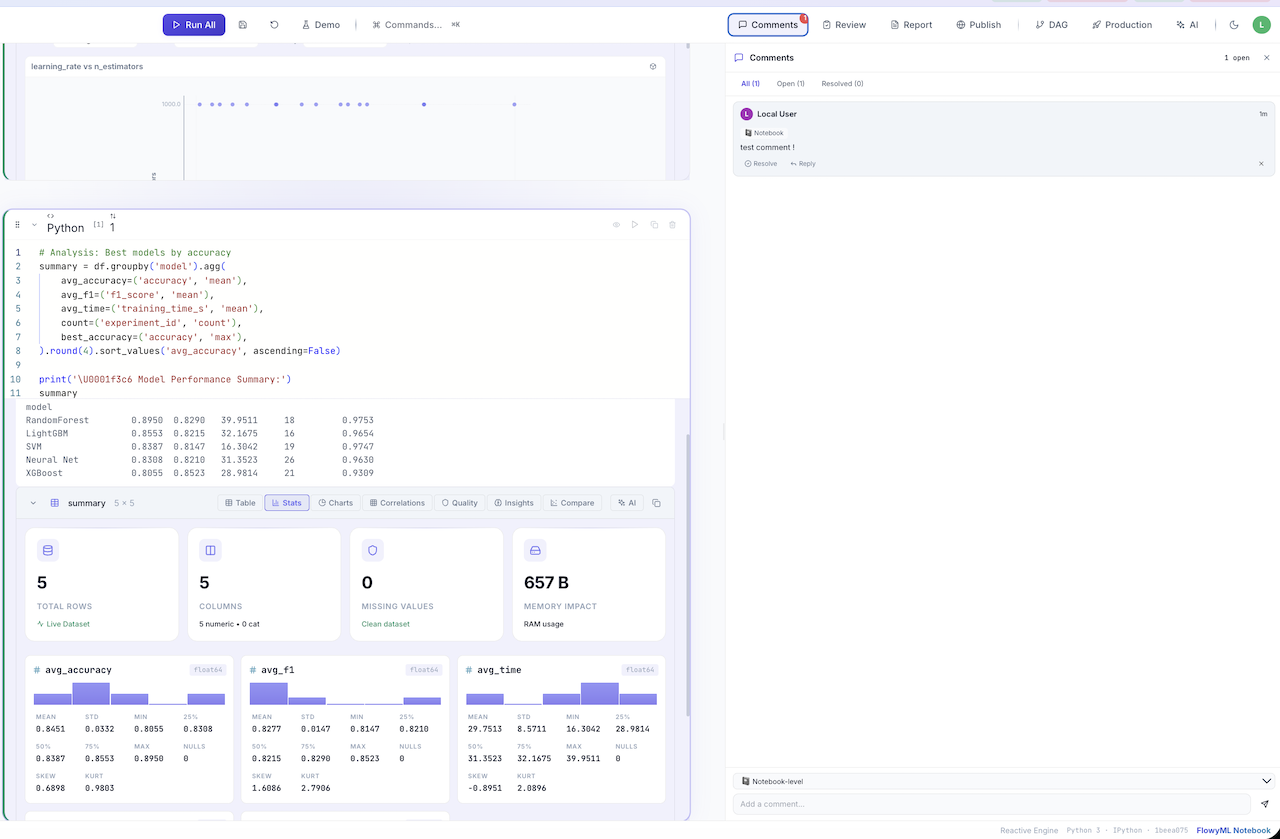
 Comments & Review
Collaborate directly in the notebook with inline comments. Add notebook-level or cell-level annotations for team discussions, with resolve/reply threading.
 Recipes — Reusable Templates
43 built-in recipes across Core, Assets, Parallel, Observability, Evals, Data, ML, Visualization, and Ecosystem categories. Drag into your notebook or click + to insert.
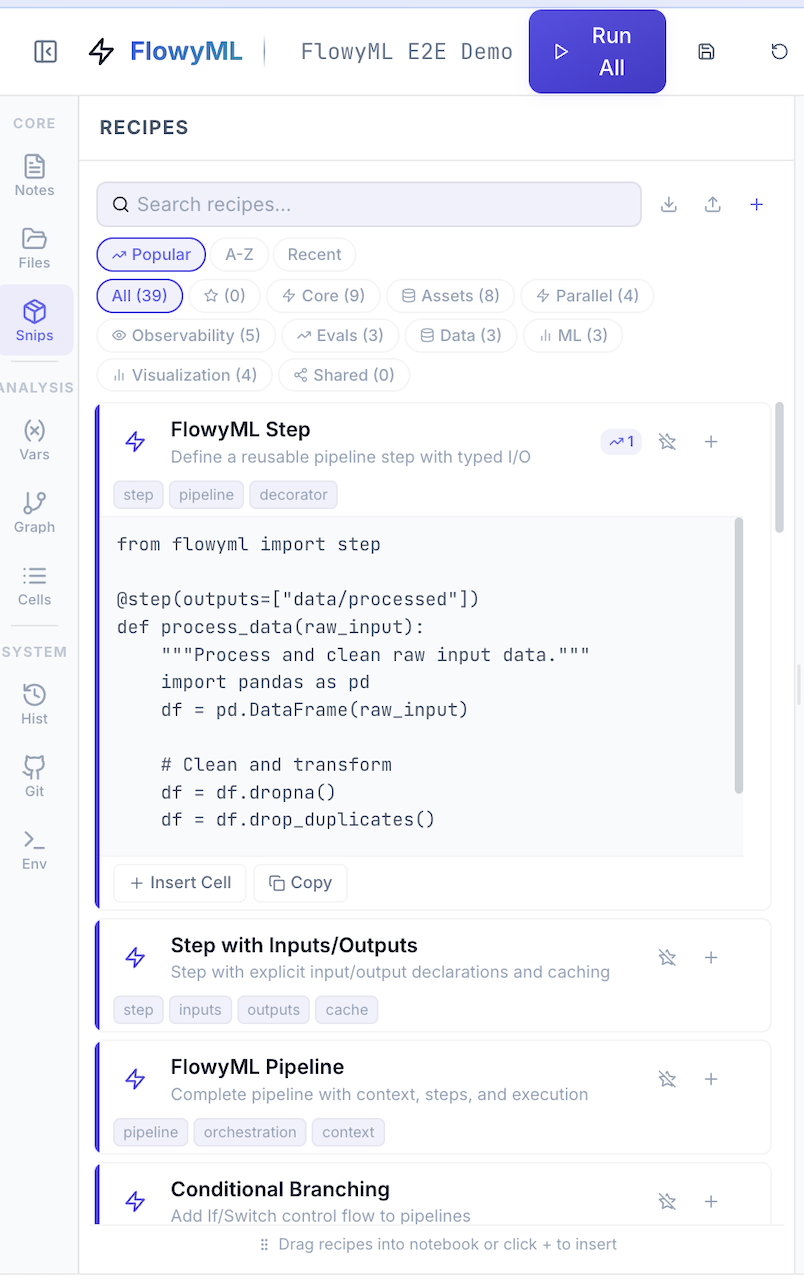
See Recipes for the full cookbook.
 Reports
Generate beautiful dark-themed HTML reports from your notebook with one click. Reports include styled tables with inline SVG histograms, correlation badges, and formatted outputs.
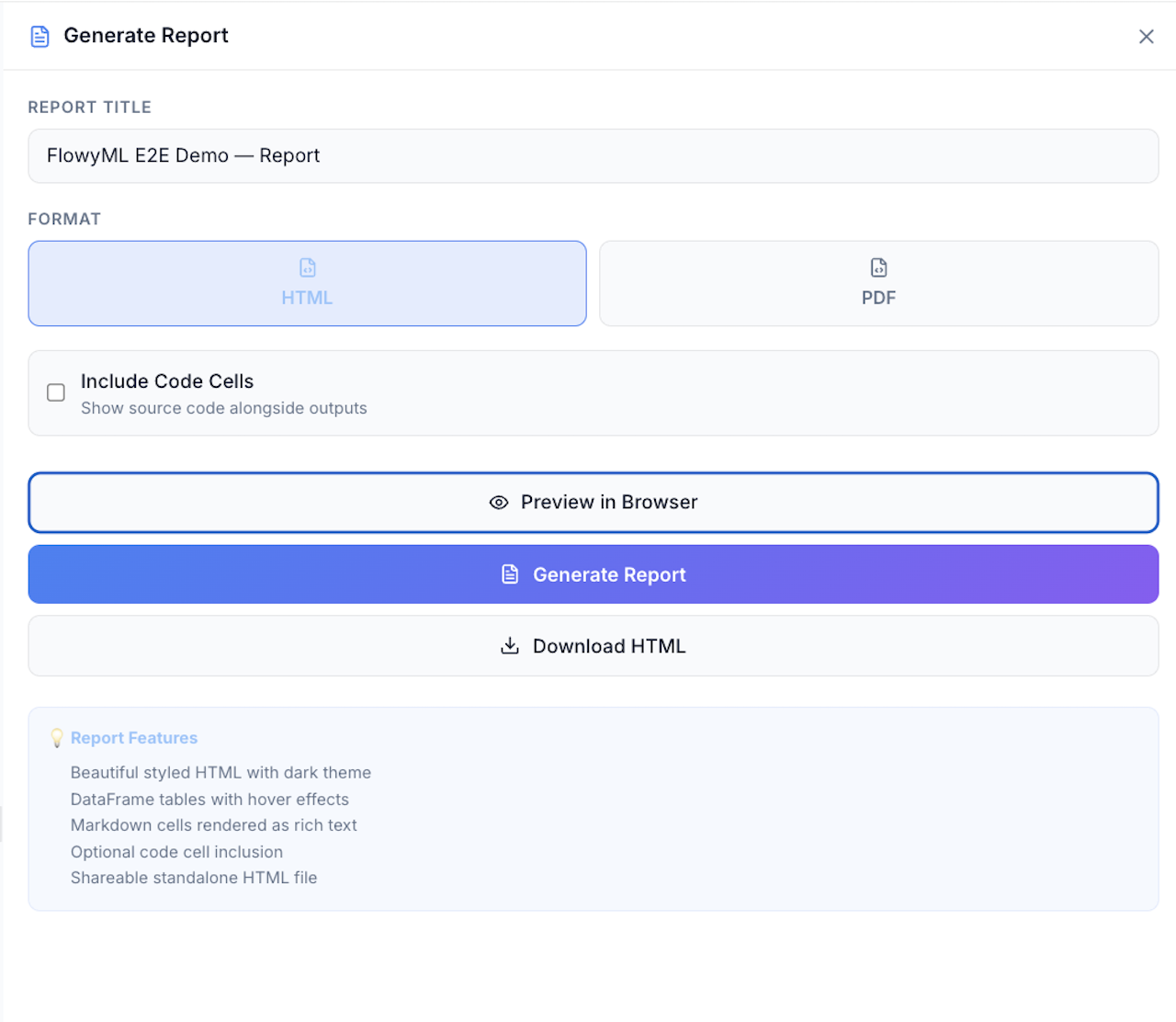
Report Features
- Dark-themed — Premium dark UI with Inter + JetBrains Mono fonts
- DataFrame rendering — Auto-generated stat cards, SVG histograms, and categorical bar charts inline
- Code toggle — Optionally include source code alongside outputs
- Markdown cells — Rendered as formatted headings, lists, and paragraphs
- CLI export —
fml-notebook export notebook.py --format html --output report.html
Via Python API
 Publish as App
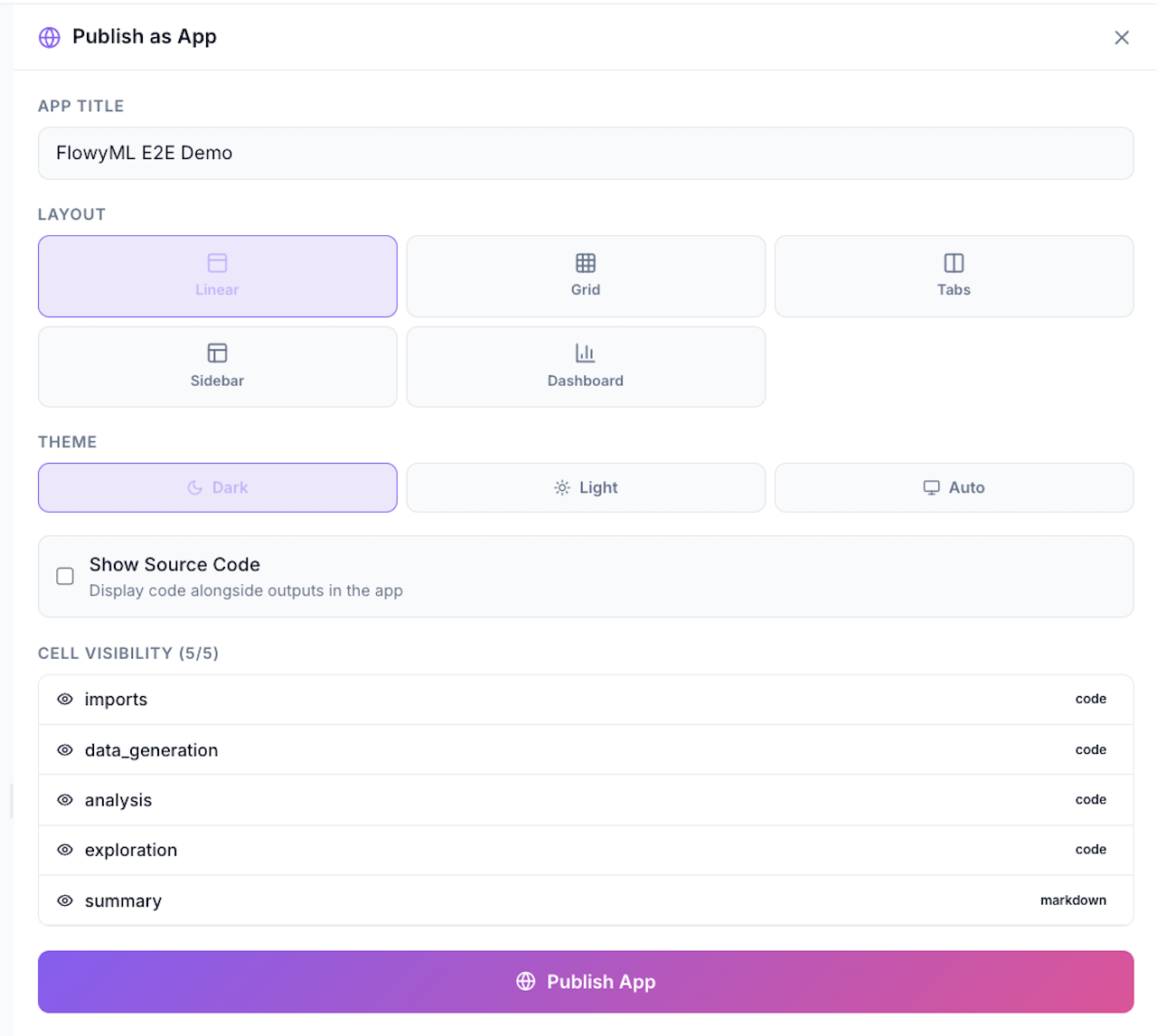
Turn any notebook into an interactive web application with one click. Choose your layout, toggle cell visibility, and deploy:
Layout Options
| Layout | Description |
|---|---|
| Linear | Cells stacked vertically — classic report layout |
| Grid | Responsive grid — cells arranged in columns |
| Tabs | Each cell is a tab — ideal for dashboards |
| Sidebar | Input controls in sidebar, outputs in main area |
| Dashboard | Full dashboard mode with widgets and charts |
Via CLI
Widgets (sliders, dropdowns, toggles) become interactive controls in the deployed app — users can tweak parameters and see results update in real time.
 Production — Pipelines, Deploy & Assets
Ship notebooks directly to production:
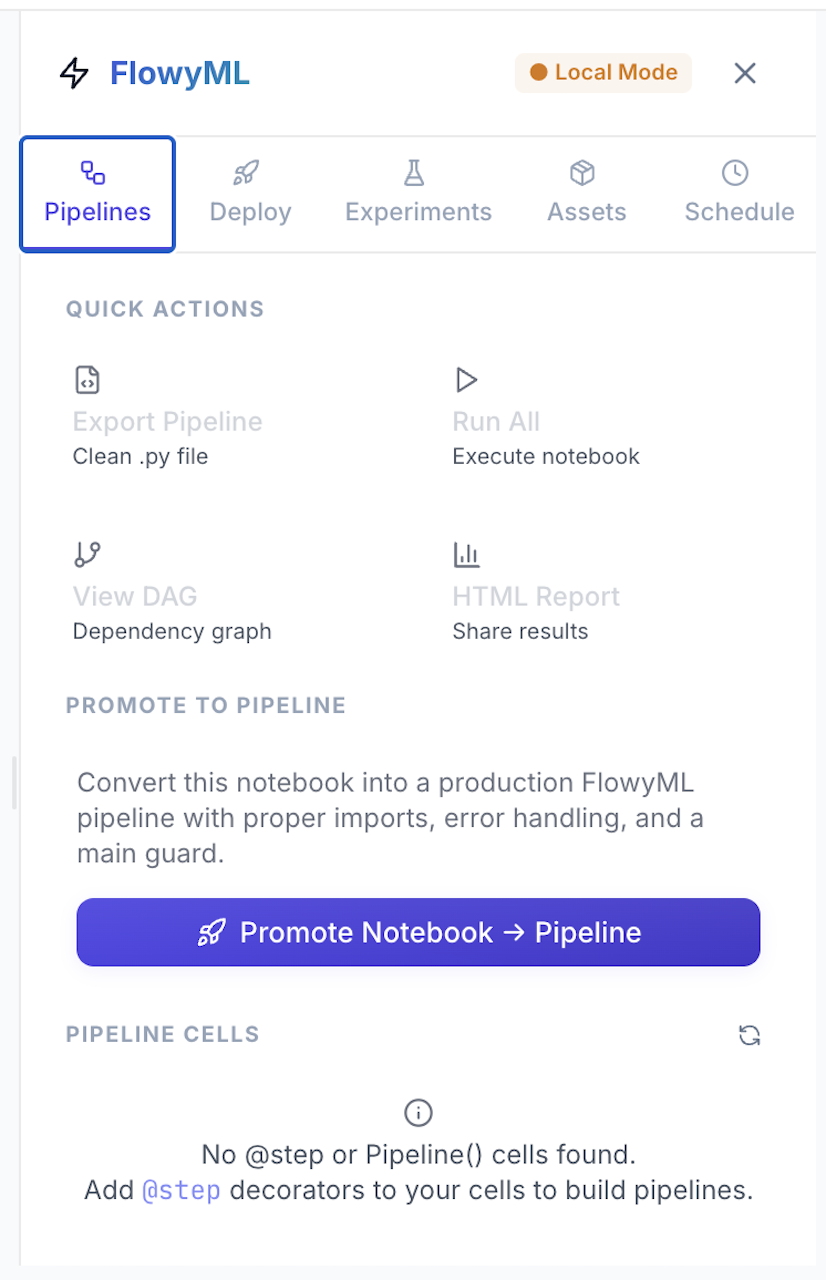
Promote notebooks to production FlowyML pipelines with @step decorators.
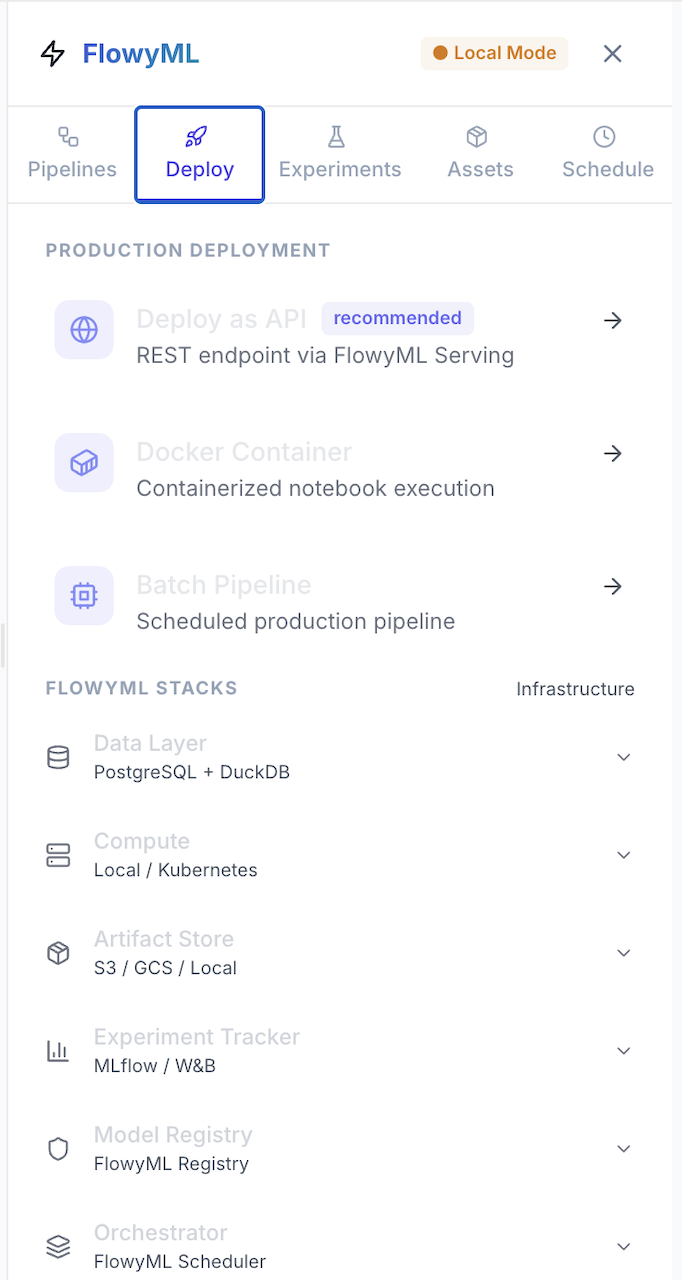
Deploy as REST API, Docker Container, or Batch Pipeline — with full FlowyML infrastructure stack integration.
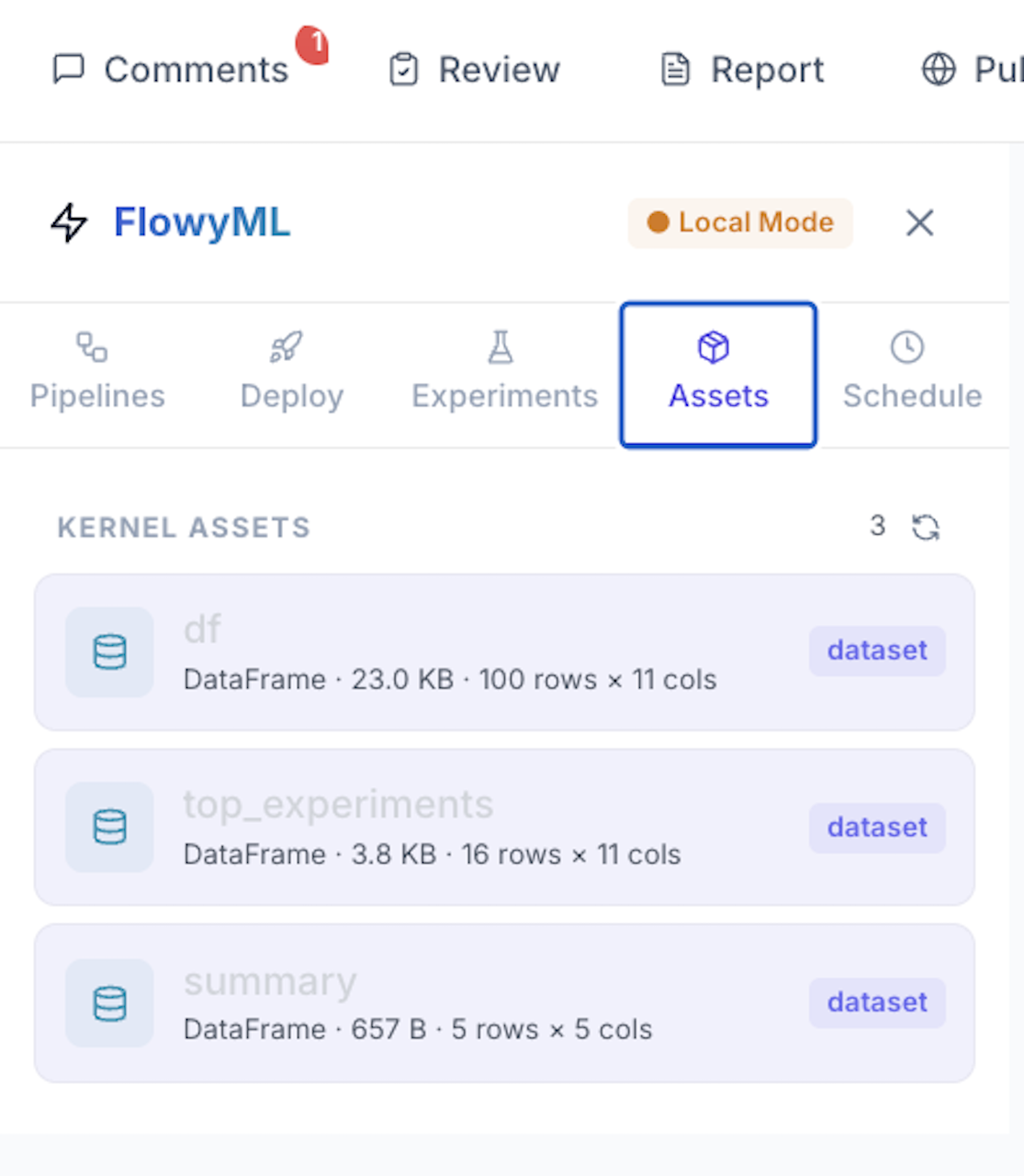
Track kernel assets (DataFrames, models) with size, shape, and type metadata.
 Git & Version Control
Full GitHub integration as the collaboration backend. No proprietary cloud, no database — just Git.
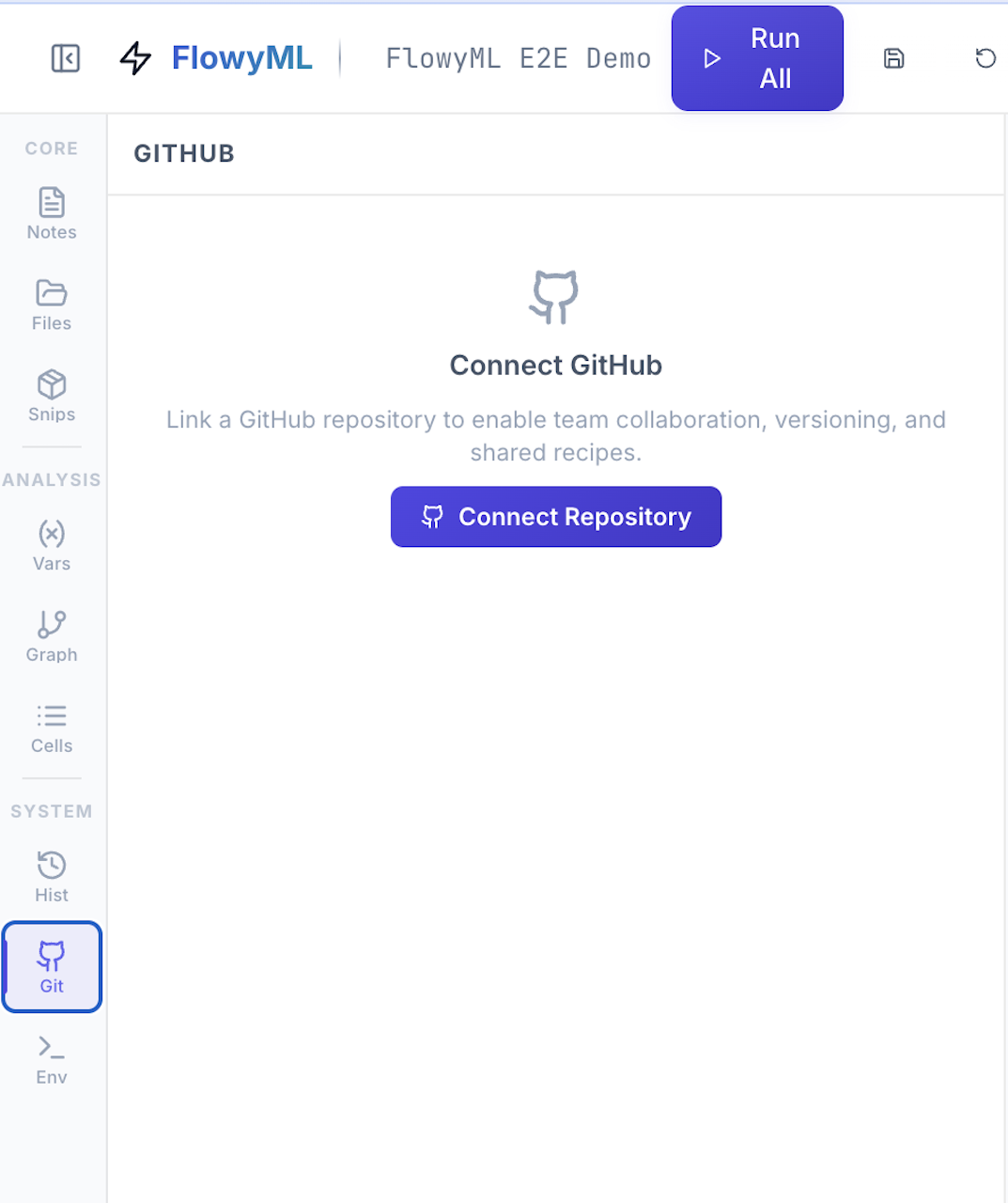
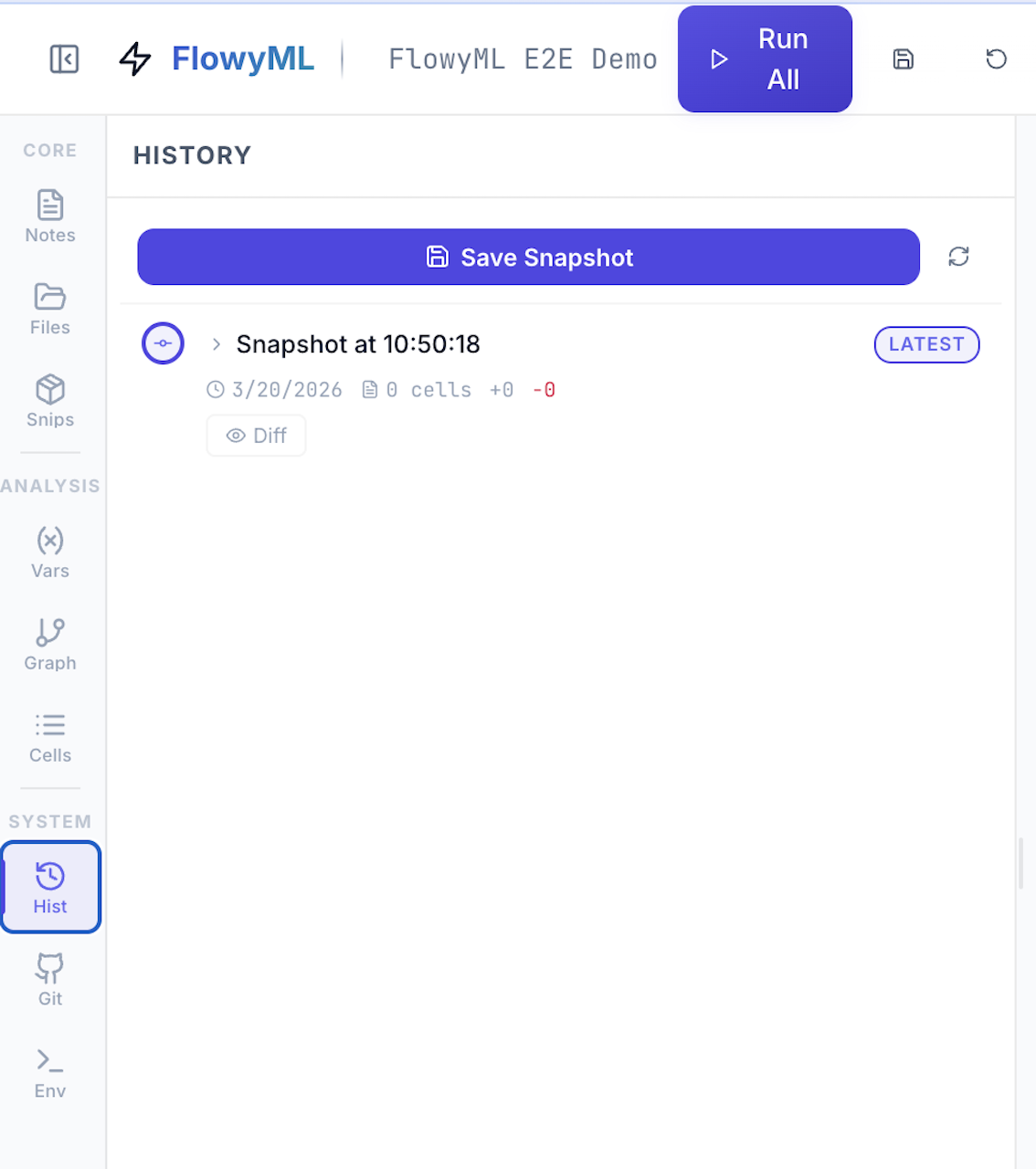
See Collaboration for the full workflow.
 Environment & Connection
Run standalone in Local Mode or connect to a remote FlowyML server for experiment tracking, pipeline export, and deployment.
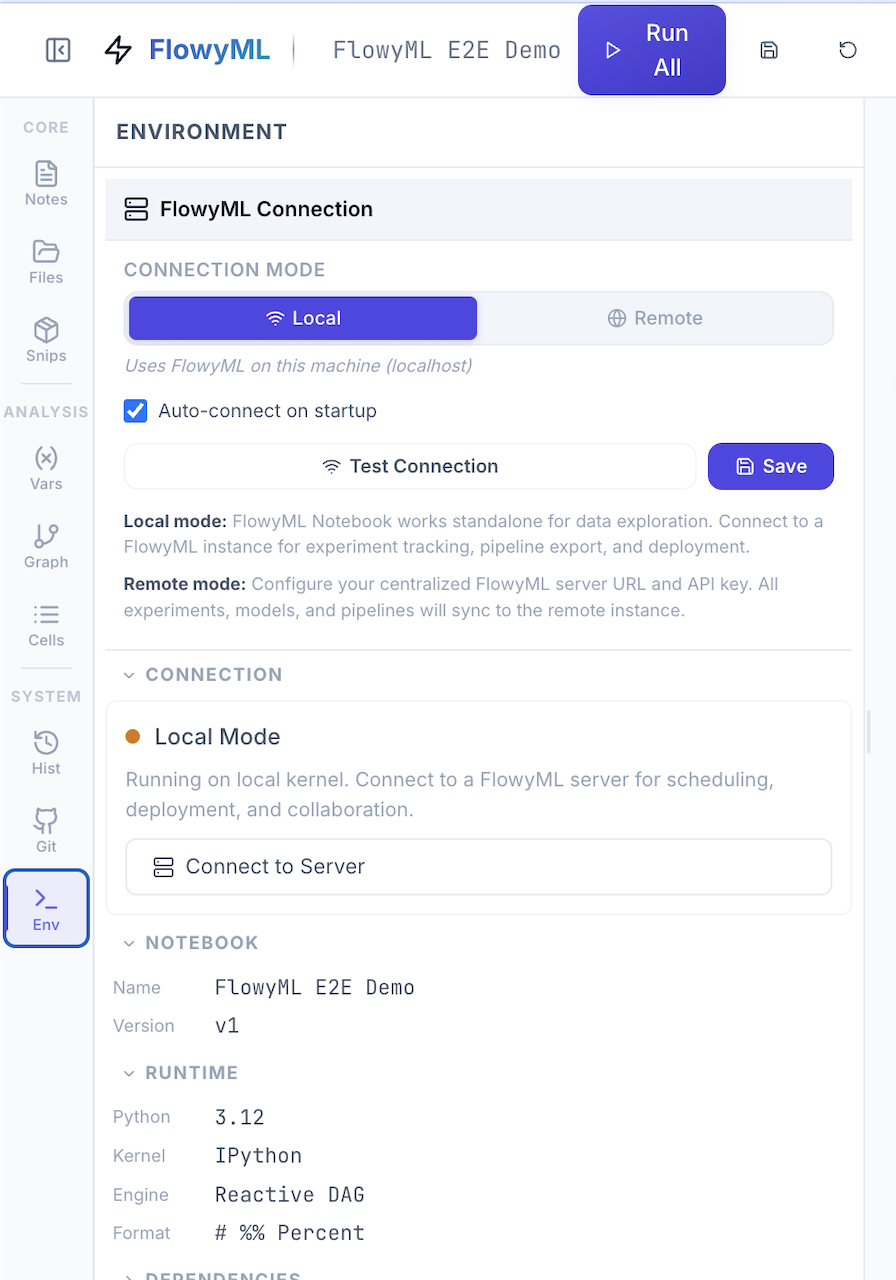
See Integration for connection details.
 SQL First-Class
Mix Python and SQL seamlessly in the same notebook. SQL cells are powered by DuckDB (in-memory, zero config) or SQLAlchemy (for external databases).
How It Works
- SQL cells query your Python DataFrames directly — any variable holding a DataFrame is available as a table name
- Results are automatically converted to Pandas/Polars DataFrames
- The result DataFrame is assigned to a variable and participates in the reactive DAG
- Supports DuckDB (default, in-process) and SQLAlchemy (PostgreSQL, MySQL, SQLite, etc.)
External Databases
Interactive Widgets
Bind Python variables to professional-grade UI controls — sliders, dropdowns, toggles, date pickers, color pickers, text inputs, and more.
Widget Reactivity
Widgets participate in the reactive DAG — when a user changes a slider value, all downstream cells automatically re-execute. This is what powers the Publish as App feature: your notebook becomes a live, interactive dashboard.
Available Widgets
| Widget | Description | Code |
|---|---|---|
| Slider | Numeric range | fml.slider(...) |
| Select | Dropdown menu | fml.select(...) |
| Toggle | Boolean switch | fml.toggle(...) |
| Number | Numeric input | fml.number(...) |
| Text | Text input | fml.text(...) |
| Date | Date picker | fml.date_picker(...) |
| Color | Color picker | fml.color(...) |
| File | File upload | fml.file_upload(...) |
Deployment & Export
| Format | Command | Use Case |
|---|---|---|
| FlowyML Pipeline | fml-notebook export --format pipeline |
Production ML pipelines |
| HTML Report | fml-notebook export --format html |
Shareable dashboards |
| PDF Report | fml-notebook export --format pdf |
Documentation |
| Docker Image | fml-notebook export --format docker |
Containerized deployment |
| Web App | fml-notebook app notebook.py |
Interactive applications |
 Killer Features
FlowyML Notebook introduces 13 built-in analysis tools — a complete data science toolkit embedded directly in the notebook. No extra installs, no configuration.
-
Cell Profiler
CPU time, wall time, memory delta, peak memory, and hot function detection.
-
Cell Benchmark
Statistical timing with mean, median, std, min, max, and regression detection.
-
Data Validator
Automatic DataFrame quality scoring with null, duplicate, and type analysis.
-
Data Lineage
Track DataFrame transformations across cells — row/column changes and dtype mutations.
-
Code Analyzer
Smart linting: pandas anti-patterns, security checks, naming conventions, and auto-fix.
-
Cell Dependencies
AST-based dependency graph, topological sort, stale detection, optimal execution order.
-
Notebook Search
Full-text search with fuzzy/regex matching, find & replace, and duplicate detection.
-
Snippets Library
35 built-in data science snippets across 8 categories — search, insert, and contribute.
-
Execution History
Time-travel debugging — inspect past outputs, compare runs, track trends.
-
Environment Manager
Full environment snapshots, in-notebook package install, requirements.txt export.
-
Jupyter Import/Export
Seamless
.ipynb↔.pyconversion with full output and metadata preservation. -
Notebook Diff
Cell-level comparison between notebooks with added/removed/modified detection.
-
Package Installer
pip-compatible package management without leaving the notebook.
 See the full Killer Features Guide for API reference, code examples, and detailed documentation.