Fleet View
Monitor all your projects at once — a multi-project health overview ranked by risk score. One screen, all projects, highest risk first.
The Command Center for Managers
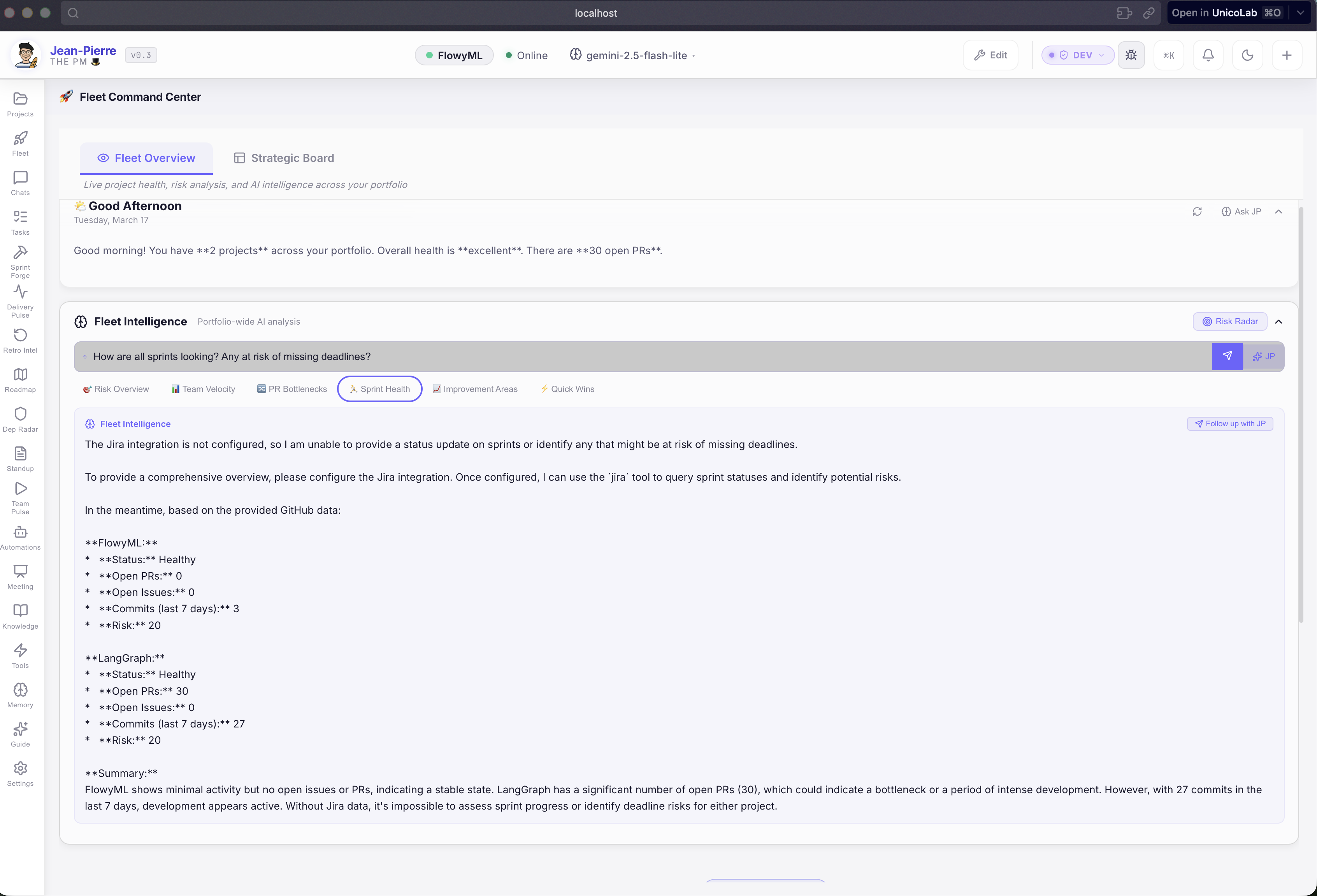
Fleet View gives managers a bird's-eye view of all tracked projects. No more checking each project individually — see everything at once, ranked by urgency.
What You See
Health Score
AI-calculated from PR activity, sprint progress, commit velocity, and blocker count. Instantly know which projects are thriving and which need attention.
Risk Level
Color-coded risk indicators: 🟢 Low · 🟡 Medium · 🔴 High — prioritize your attention based on real-time data analysis.
Key Metrics
Open PRs, active sprint items, recent commits, and more — the most important numbers at a glance for every project.
Quick Actions
Jump to any project's dashboard, ask JP for analysis, or trigger a report — all from the Fleet View without context-switching.
Built For
Engineering Managers
Monitor 5–20 repos across teams at a glance. Identify risks before they escalate.
Tech Leads
See which projects need your attention this week. Prioritize based on data, not gut feeling.
Consultants
Manage multiple client projects from one hub. Never lose track of a deliverable again.
AI-Powered Fleet Intelligence
Fleet View isn't just a list — it's an intelligent portfolio analyzer:
- Cross-project risk analysis — JP identifies risks that only emerge when looking across projects
- Velocity trending — spot team slowdowns before they impact delivery
- Proactive alerts — stale PRs, sprint bottlenecks, and dependency conflicts surfaced automatically
- One-click reports — generate portfolio-wide status reports for leadership in seconds
Accessing Fleet View
Click Fleet in the sidebar, or press ++cmd+k++ and type "fleet".