⚡ Quick Start Guide
Follow this 5-minute guide to go from zero to your first AI-powered project insight.
Prerequisites
Before you begin, ensure you have the core engine ready:
- [x] AgentOS binary — Download your flavour (PM, Michelle, or Brigitte)
- [x] AI Provider — Ollama (Local) or API Key (OpenAI/Anthropic/Gemini)
- [x] Source Access — GitHub personal access token (optional, but recommended)
One-Line Install
Getting Started
You can set up AgentOS in two ways: via the CLI or directly in the Web UI.
Launch
Double-click Start AgentOS.command (macOS) or Start AgentOS.bat (Windows), or run agentos serve in your terminal. Your dashboard opens at http://localhost:18080.
Configure
Either run agentos setup for an interactive CLI wizard, or skip it and go straight to the Settings panel in the Web UI to connect your agents.
Track
Create your first project in the Web UI. Link your GitHub repositories to let Jean-Pierre start indexing your workspace.
Chat
Open the chat sidebar and start talking. Ask for a standup, a risk assessment, or a summary of recent PRs.
First Interaction
Once Jean-Pierre is connected, try these powerful prompts:
PM Workflows
- "Give me a standup report for my active project"
- "Analyze the biggest risks in the current sprint"
- "Show me all open pull requests with no reviews"
- "Summarize the last 24 hours of activity"
Exploration
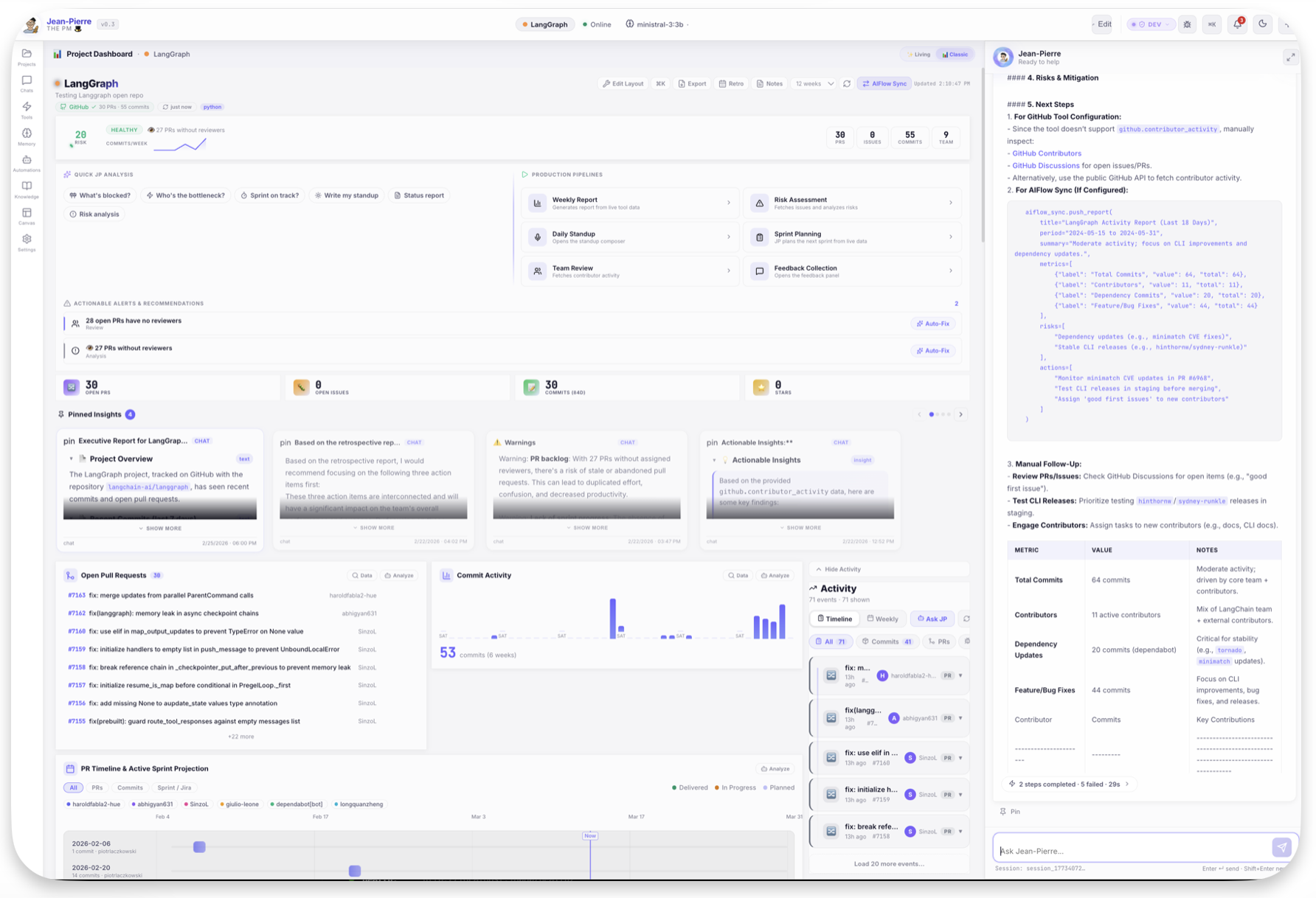
Every card on the dashboard is interactive. Click "Ask JP" on any metric to get deep AI analysis of the underlying data.
Next Steps
🤖 Local AI
Set up Ollama to run high-fidelity LLMs 100% locally. Ollama Guide →
🐙 GitHub Sync
Deep-dive into multi-repo tracking and contributor metrics. GitHub Guide →
📋 Jira Integration
Track sprints, epics, and WIP across your organization. Jira Guide →
💬 Slack Delivery
Post standups and risk alerts directly to your team channels. Slack Guide →
Explore Powerful Features
Standup Scribe
One-click daily standups from real data — structured, tagged, ready for Slack. Standup Scribe →
Sprint Forge
AI-powered sprint planning calibrated to your team's real velocity. Sprint Forge →
Team Pulse
Workload analysis, burnout detection, and collaboration insights. Team Pulse →
Automation Hub
18 templates for reports, monitoring, and team communication — on autopilot. Automation Hub →