One Platform. Specialized Copilots.
AgentOS is a composable AI agent platform — a production-grade engine with plug-and-play packs that can be configured for any company role, any industry, any workflow. Three flagship copilots are ready today. The architecture supports infinite more.
🚀 Flagship Copilots
Three production-grade AI copilots — each built from the same composable blocks, each a world-class specialist.

🎩 Jean-Pierre — The PM
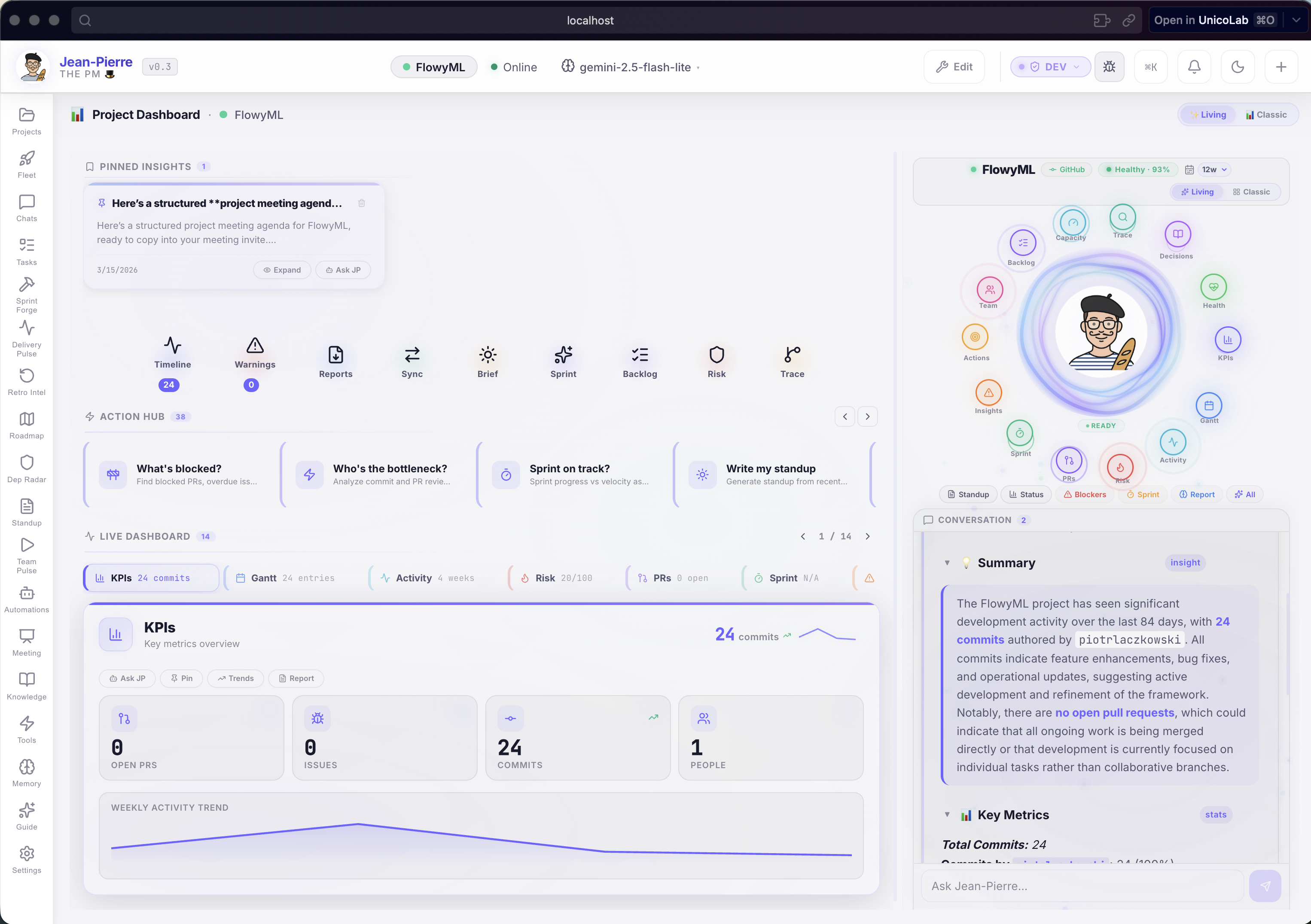
- 10+ hours saved per week per PM
- Proactive risk detection — catches problems before meetings
- 17 specialized features — Sprint Forge, Delivery Pulse, Fleet View, and more
- Automated standups, reports, and sprint plans — one-click
Status: ✅ Production

📊 Michelle — Analytics Intelligence
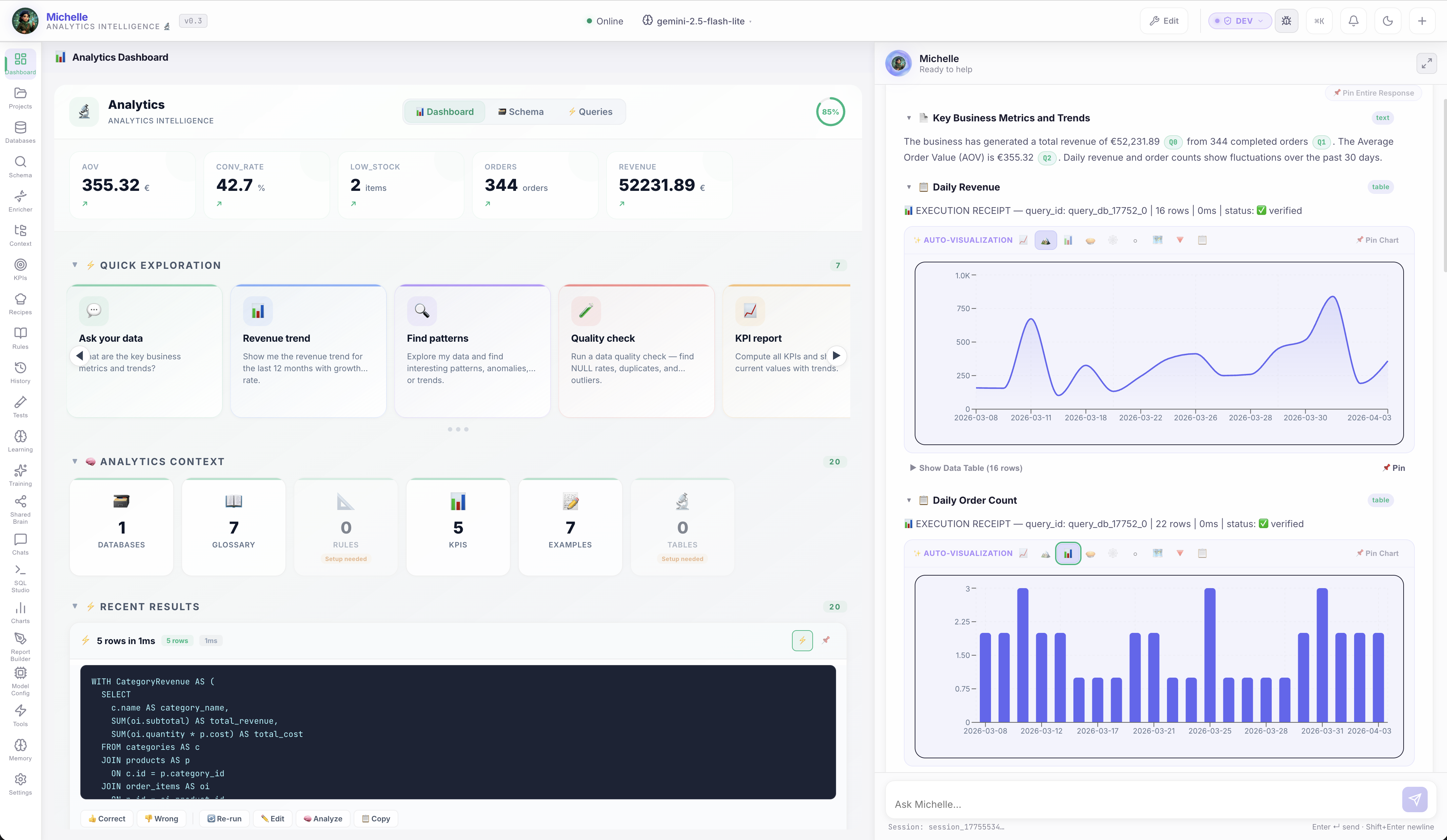
- 15+ hours saved per week per analytics team
- Zero hallucinations — every answer backed by actual SQL and source data
- Shared team brain — distributed learning, one teaches all
- Self-healing knowledge — learns from every correction, never repeats mistakes
Status: ✅ Production
🧱 Built Like LEGO
This is the real power of AgentOS: every layer is modular. The backend engine, the tool integrations, the dashboard widgets, the AI persona — they're all independent, composable blocks. Swap a pack, change a persona, plug in different tools — and you have an entirely new AI copilot for a completely different role.
Core Engine
A battle-tested backend with streaming AI orchestration, tool execution, adaptive memory, sessions, and real-time APIs. Shared across all copilots — proven, scalable, rock-solid.
Tool Packs
Modular integrations (GitHub, Jira, Slack, databases, CRMs, custom APIs) that plug into the engine. Add or remove tools without touching the core — like swapping LEGO bricks.
Frontend Components
A library of premium UI widgets — Kanban boards, Gantt charts, KPI cards, heatmaps, SQL Studios — that assemble into role-specific dashboards automatically.
Agent Persona
The AI personality, system prompt, communication style, and domain expertise. This is what makes each flavour a specialized expert — not a generic chatbot.
🔮 How Flavours Work
A flavour is the combination of these LEGO blocks into a tailored experience for a specific role. Each flavour defines:
| Layer | What It Configures | Jean-Pierre (PM) | Michelle (Analytics) |
|---|---|---|---|
| Agent Persona | Name, expertise, style | French PM expert, formal | Data analyst, precise, source-citing |
| Integrations | Which tools connect | GitHub, Jira, Slack | Database connectors, SQL engine |
| Dashboard | Which widgets appear | Living View, Fleet Intelligence | KPI engine, Schema Browser, SQL Studio |
| Quick Actions | One-click workflows | Standup Report, Sprint Plan | Revenue Analysis, Customer Churn |
| Automation | Scheduled pipelines | 18 PM recipes | Analytics pipelines |
| Domain Knowledge | Learned context | Team dynamics, sprint preferences | Metric definitions, business rules |
Same engine. Same UI framework. Different configuration. That's why we can launch a new copilot for a completely different industry in days, not months.
🌍 The Possibilities Are Endless
Because AgentOS is modular, new flavours can be created for any role that involves data, tools, and decisions:
Customer Success
Connect CRM, support tickets, and NPS data. AI-powered churn prediction, account health scoring, and automated QBR prep.
Compliance & Audit
Regulation tracking, policy gap analysis, audit preparation, and real-time compliance monitoring across systems.
Healthcare Admin
Patient flow optimization, resource allocation, scheduling intelligence, and operational KPIs for hospital management.
Logistics & Supply Chain
Route optimization, inventory forecasting, supplier risk analysis, and cross-dock scheduling intelligence.
Enterprise Customization
Need a custom flavour for your organization? We build tailored AI copilots that connect to your proprietary tools and data sources — using the same proven engine that powers Jean-Pierre and Michelle. Contact us to discuss your needs.
⚡ Installing a Flavour
Each flavour is installed with the same one-line command — just specify which one:
# Jean-Pierre PM (default)
curl -fsSL https://unicolab.github.io/agentos/install.sh | sh

# Michelle Analytics
curl -fsSL https://unicolab.github.io/agentos/install.sh | sh -s -- --flavour michelle

# Brigitte Management Intelligence
curl -fsSL https://unicolab.github.io/agentos/install.sh | sh -s -- --flavour brigitte

# All agents at once
curl -fsSL https://unicolab.github.io/agentos/install.sh | sh -s -- --flavour all
Per-flavour binary names
Each flavour installs as agentos-<flavour> (e.g. agentos-pm, agentos-michelle, agentos-brigitte). This allows multiple agents to coexist on the same machine. A fleet manager command agentos is also installed for multi-agent management.
🖱️ Double-Click Launchers
Every download includes launcher scripts so you can start AgentOS without opening a terminal:
| Platform | File | Action |
|---|---|---|
| macOS | Start AgentOS.command |
Double-click in Finder — clears Gatekeeper, opens browser |
| Windows | Start AgentOS.bat |
Double-click in Explorer — opens browser |
| Linux | start-agentos.sh |
Make executable, double-click in file manager |